How does ChannelSync Master sync inventory across Amazon, Shopify & eBay?
No onboarding calls, no "implementation specialists." Connect your accounts, match your products, and you're running.
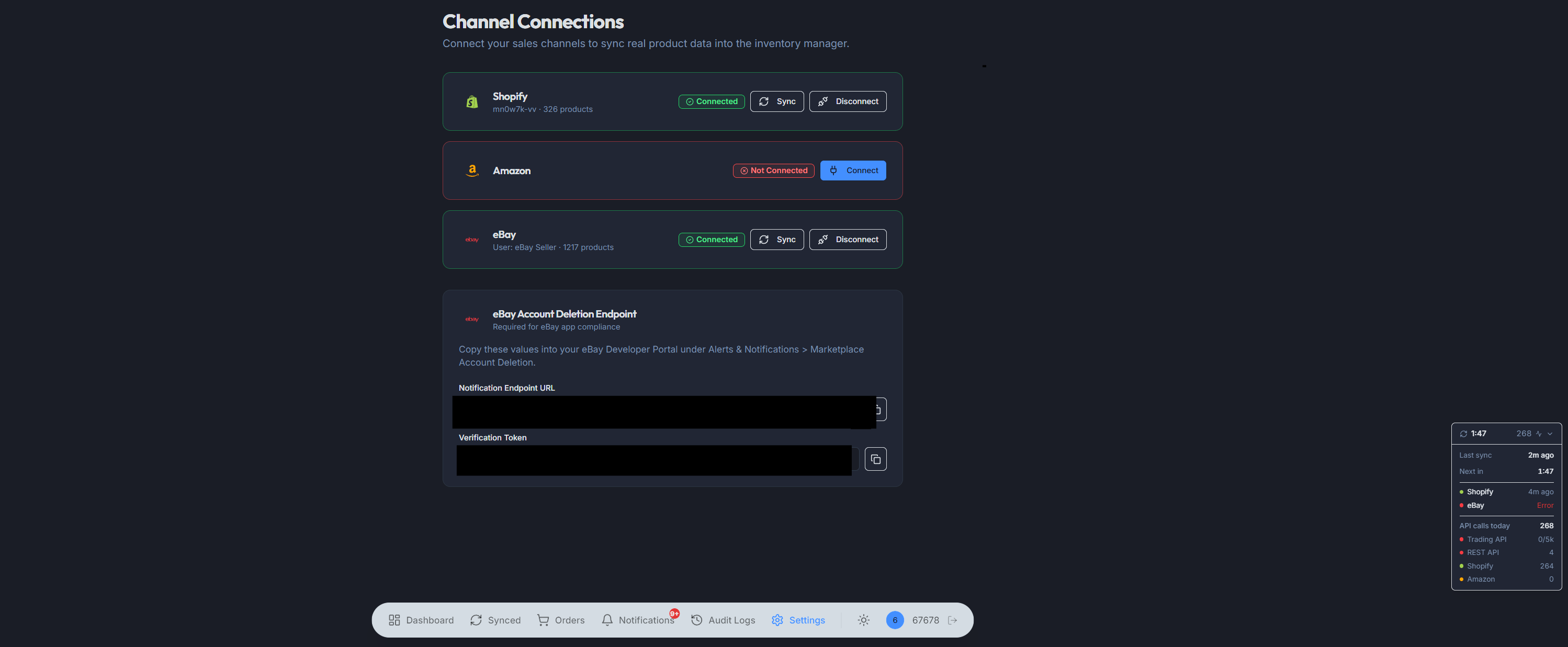
Real-time sync uses Shopify webhooks and eBay Platform Notifications. Polling falls back to the Amazon Selling Partner API on a 15-minute cadence so Amazon stays in lockstep.
How do I connect my Amazon, Shopify, and eBay accounts?
Link your Amazon, Shopify, and eBay accounts through OAuth - the same secure process you use when you connect any app to your store. We never see your passwords. Your tokens are encrypted, and eBay tokens auto-refresh so you don't get locked out.
Takes about 2 minutes per channel. You'll authorize the connection on each platform's own login page.
How does ChannelSync Master match my products across channels?
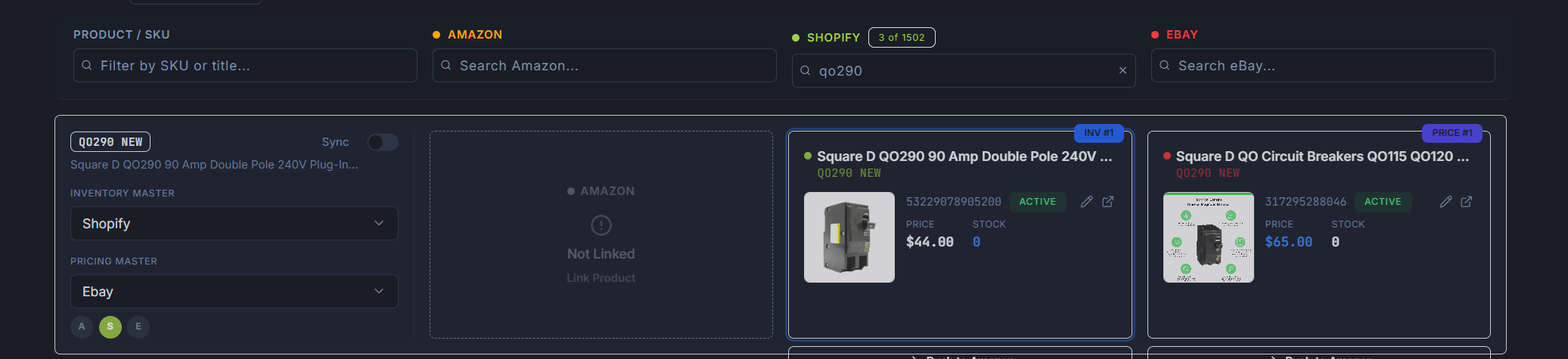
Manually match products across channels by searching with SKU, UPC, or product name. Type a SKU into any channel's search bar and instantly find the matching listing to link them together.
ChannelSync Master can also suggest matches automatically by analyzing titles, model numbers, and descriptions. You always have the final say -- accept, reject, or link products yourself.
How do I set my own sync rules?
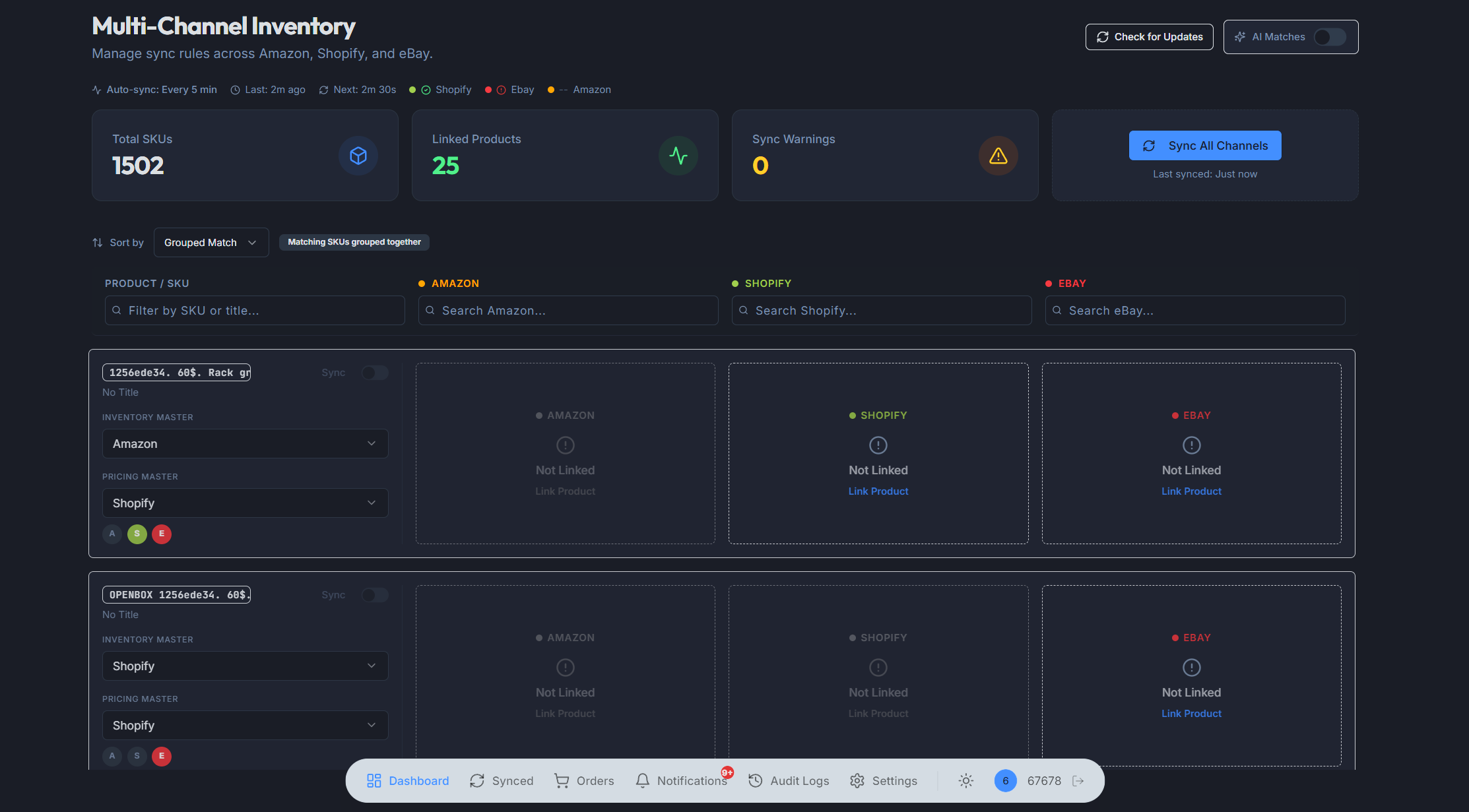
Choose which channel is the source of truth for inventory and which one controls pricing. Maybe eBay tracks your real stock levels but Shopify sets your retail prices. You decide, per product.
Enable sync per product or flip it on for everything at once. When a sale happens on one channel, inventory updates propagate to the others automatically.
What happens once the platform is running?
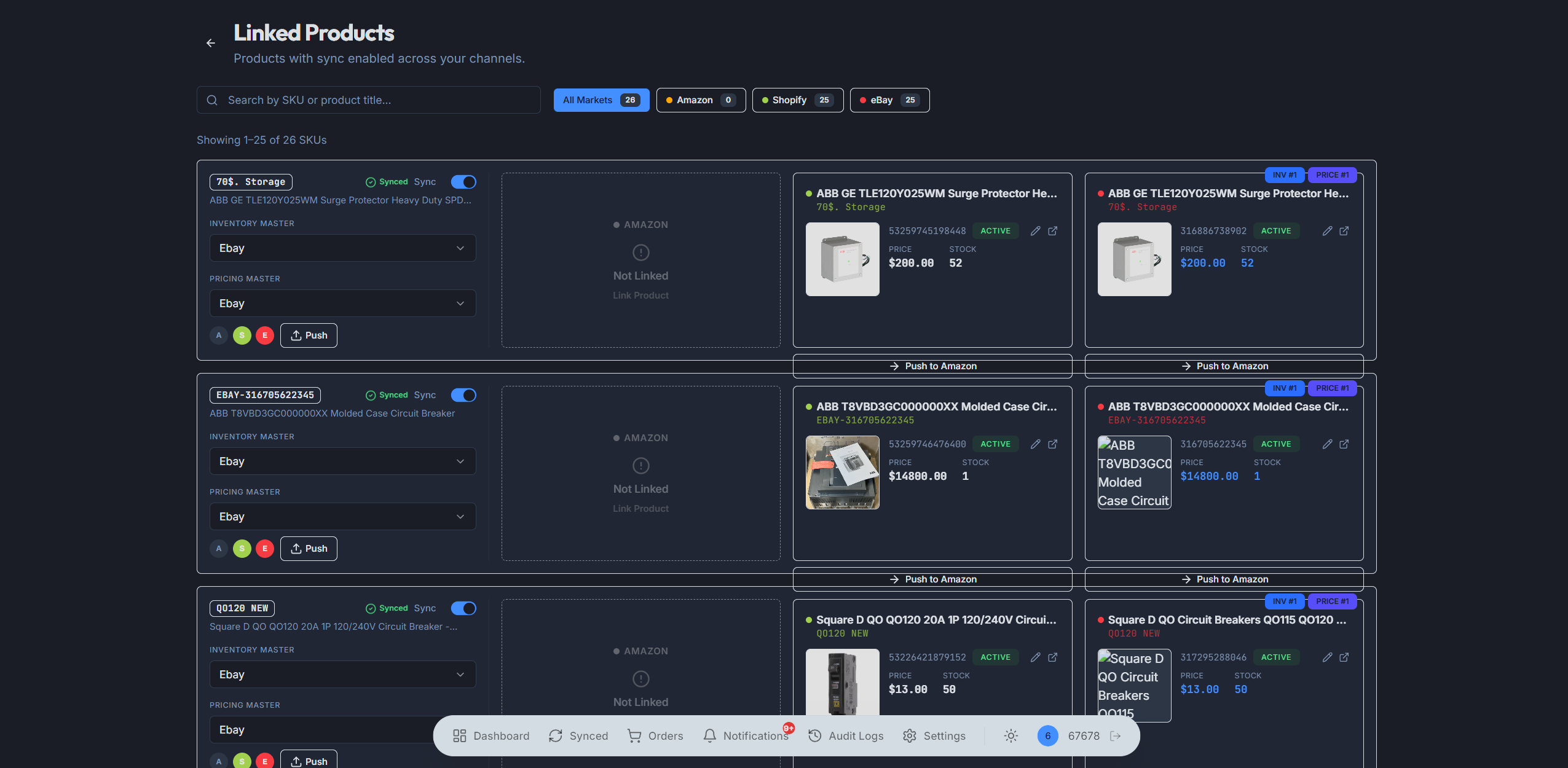
Auto-sync checks all your channels every 30 minutes. Orders import automatically. If a price drifts or stock changes somewhere unexpected, you get a notification. The system runs 24/7 - even when your laptop is closed.
Come back when you want to review what happened, push a new listing, or check your sales. Everything is tracked in the audit log.
“Multi-channel sellers don't need another enterprise platform that takes three months to onboard. They need stock and prices to stay in sync between sales — automatically — so they stop overselling and stop reconciling spreadsheets at midnight.”
How does the sync workflow really work?
How long does it take to set up ChannelSync Master?
About 10 minutes for the connection step, plus however long it takes you to review the suggested product matches. Most sellers with 50–500 SKUs are fully operational in under an hour. There are no onboarding calls or implementation consultants.
Do I need API credentials or developer accounts?
No. Each channel uses standard OAuth flow — you log in to Amazon Seller Central, Shopify Admin, and eBay via their normal login pages and grant ChannelSync Master access. We never see your passwords. Tokens auto-refresh in the background.
What's the difference between webhook sync and 30-minute polling?
Shopify and eBay support webhooks, so order events and inventory changes from those channels trigger an immediate sync. Amazon's SP-API doesn't push real-time inventory webhooks for most events, so we poll every 30 minutes to catch changes there. Together, webhooks plus polling means you rarely go more than a few minutes out of sync.
What happens during the product-matching step?
ChannelSync Master imports your catalog from each connected channel and runs the matching engine across them. You get a queue of suggested matches with confidence scores and reasoning. Approve in bulk, reject one at a time, or link products manually — sync only starts on products you've approved.
What does 'master channel' mean for inventory and pricing?
The master channel is the source of truth. If Shopify is your inventory master and a sale happens on eBay, the eBay quantity gets decremented on Shopify first, then propagated to Amazon and back to eBay. You can pick a different master per product.
Can I sync only some products and leave others alone?
Yes. Sync is opt-in per product. You can leave seasonal or promotional listings off auto-sync entirely, or keep manual control over a specific SKU while letting the rest of your catalog auto-sync.
What runs in the background while I'm not logged in?
The 30-minute scheduler runs server-side and doesn't require your browser to be open. Webhook listeners stay live. Token refresh happens automatically. Audit logs capture every sync attempt so you can review what happened any time.
That's really it. No catch.
We're currently in closed beta. Request access and we'll reach out when a spot is available.
Request Beta Access